
How to Land in Bumpy Flight - Landing Assist & Flight Complete
Quick answer
Start landing before the airport is close, slow early, line up with small corrections, use Landing Assist as alignment help, and keep braking until the result appears.
Quick Answer
To land in Bumpy Flight, make the runway problem small before final approach: face the airport early, reduce throttle before you are over it, keep the nose close to level, and use small A/D corrections instead of hard turns. If Landing Assist appears, treat ALIGN as a guide for centering first, then slow down and touch the runway gently.
Landing Flow
| Stage | What to do | Common failure |
|---|---|---|
| Find airport | Turn toward the destination before descent. | Waiting until the runway is beside you. |
| Slow down | Reduce throttle before the airport fills the screen. | Staying at cruise speed until the last second. |
| Align | Use short A/D taps and wait for the plane to respond. | Holding a hard turn and crossing the centerline. |
| Glide | Use gentle W/S input to avoid a dive. | Pushing the nose down during final seconds. |
| Touchdown | Land straight, keep braking, and wait. | Leaving too early or bouncing off the runway. |
Early Approach Setup
The landing starts before the runway is close. If you can only see the airport at the edge of the screen, turn wider and earlier instead of trying to snap onto the runway. A slow, centered approach gives you more margin for Landing Assist and completion feedback.
Use this rule of thumb: if you are still making a large turn near the runway, the approach began too late.
Speed Control
Landing problems often look like steering problems, but the real cause is speed. Reduce throttle before the runway threshold. Do not rely on braking only after touchdown. If the plane is too fast, even a correct ALIGN cue can end in a rough or missed landing.
| Sign | Meaning | Fix |
|---|---|---|
| Runway passes underneath quickly | Too much speed. | Reduce throttle earlier next attempt. |
| Nose swings up and down | Inputs are too large. | Stop correcting for a moment, then tap. |
| Plane drifts off runway after touch | Touchdown was angled or fast. | Aim for a straighter final line. |
How to Use Landing Assist
Landing Assist is useful because it turns the hardest part into an alignment task. Follow the guidance with small corrections. Do not chase the prompt with full input. Center first, slow second, touch down third.
Important: this page describes Landing Assist behavior broadly. Exact prompt text, colors, and timing still need direct gameplay screenshots before the wiki quotes them as current UI.
Rough Landing Recovery
Rough Landing does not always mean the whole run was wasted. Treat it as feedback. The aircraft was likely too fast, angled, or descending too sharply. Keep braking until the game finishes showing result feedback, then use the next run to begin approach earlier.
| Rough landing cause | What to change next run |
|---|---|
| Too fast | Start slowing while the airport is still ahead, not underneath. |
| Too steep | Level the nose before touchdown. |
| Too angled | Make the final turn wider and earlier. |
| Emergency happened near landing | Repair during cruise, then reset your approach line. |
Landing After Emergencies
After freezing wings, storm damage, or passenger issues, do not rush directly into descent. Stabilize, check heading, then set up the landing. A repaired plane can still fail if the pilot starts final approach late.
Related emergency pages:
Flight Complete Check
After touchdown, keep the aircraft on the runway and wait for completion feedback. The wiki should capture a current screenshot before quoting exact result text beyond "Flight Complete." If no completion appears, recheck whether bags, passengers, distance, or emergencies blocked the run.
FAQ
Does Rough Landing mean the flight failed?
Not always. Treat it as feedback that the final approach was too fast, angled, or steep. Wait for the game result before deciding the run failed.
Should I turn hard near the runway?
No. Hard turns near the runway usually create the miss. Make wider turns earlier and keep final corrections small.
Does Landing Assist guarantee Flight Complete?
No. Landing Assist helps alignment, but you still need speed control, a gentle touchdown, and any required setup tasks completed.
Related Guides
Official Roblox Media
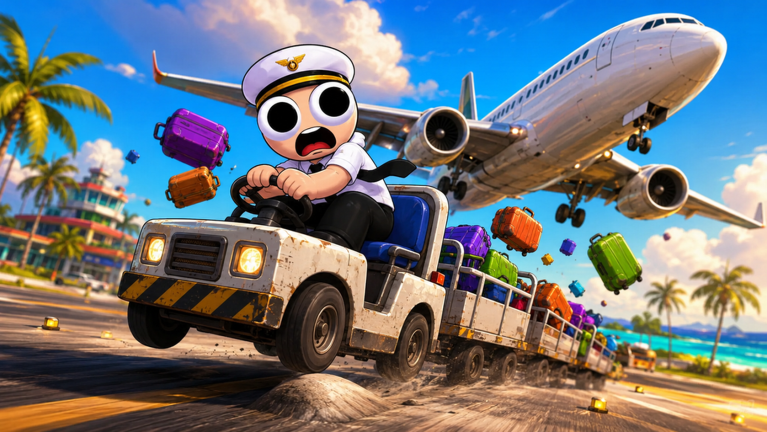
This official Roblox media gives a visual reference for the aircraft and flight setting. Exact HUD prompts such as ALIGN, Rough Landing, and Flight Complete still need direct gameplay captures before this page adds step screenshots.
Choose your next move
Related Guides
Once this question is solved, continue to the next decision without returning to search.
Bumpy Flight Controls: W/S, A/D, Shift & Ctrl
Bumpy Flight Roblox controls: W/S for pitch, A/D for side control, Shift for throttle, Ctrl for decrease throttle or mouse unlock, plus a 5-step takeoff answer.
Bumpy Flight How to Play - First Flight Roblox Guide
Bumpy Flight Roblox first-flight guide: load bags, handle passengers, confirm fuel, line up with Shift, lift off with a small W/S input, and level out.
Bumpy Flight How to Play With Friends - Crew Setup Guide
A Bumpy Flight Roblox friends guide covering same-server play, 2-player, 3-player, and 4-player crew setups, common roles, task handoffs, and public server limits.
Bumpy Flight Landing Assist - ALIGN Prompt & Safe Touchdown
How to use Landing Assist in Bumpy Flight Roblox, including ALIGN prompts, early approach setup, speed control, rough landing fixes, and source notes.