
Bumpy Flight Emergencies Guide - Freezing Wings, Storms & Cabin Fixes
Quick answer
Use the emergency lookup table first: identify what you see, stabilize the aircraft, then send one player to the matching item or repair prompt while the pilot keeps control.
Emergency Lookup Table
| Emergency | What you see | First action | Tool or item | Pilot priority | Confidence |
|---|---|---|---|---|---|
| Freezing Wings | Wing-freezing warning or frozen-control behavior. | Keep the aircraft level, then send one player to clear the prompt. | Ice Scraper or the active freezing-wing interaction. | Avoid hard turns until control feels normal again. | Confirmed wiki coverage; prompt screenshot still needed. |
| Storm or Engine Issue | Storm damage, wrench prompt, engine-warning behavior, or a repair target. | Read the active prompt before guessing, then repair only that target. | Wrench when requested; otherwise follow the visible repair prompt. | Fly slowly and predictably; avoid steep climbs while power or damage behavior is unclear. | Storm and Wrench are covered; engine-specific details are observed and need repair-result screenshots. |
| Passenger Sickness | Sick passenger or cabin sickness prompt. | Stabilize cruise, then have the cabin player respond to the prompt. | Medicine or Sick Bag only when the game asks for it. | Keep one player flying; do not abandon controls on final approach unless stable. | Confirmed wiki coverage; exact item distinction still needs gameplay screenshots. |
| Landing Trouble | Late approach, runway misalignment, or Landing Assist prompt. | Slow early and realign before committing to touchdown. | Landing Assist if offered. | Rebuild a stable approach instead of diving at the runway. | Covered as cautious guidance; ALIGN behavior still needs capture. |
| Unclear Cabin Prompt | A cabin or item prompt you have not verified yet. | Read the wording first and call out the requested action. | Use only the item named by the prompt. | Keep the aircraft stable before anyone leaves controls. | Unverified until captured. |
Quick Answer
During a Bumpy Flight emergency, identify the prompt, keep one player flying, and send only one player to the item or repair target. If you are solo, stabilize the aircraft first, then handle the emergency, then return to controls before approach. Engine-specific behavior is treated here as observed gameplay guidance, not an official permanent rule.
Engine Failure Quick Answer
For an observed engine failure or engine-warning prompt in Bumpy Flight, keep one player flying while another player checks the repair prompt. The likely repair tool is the Wrench when the game shows a wrench or active repair prompt, but do not leave the cockpit until the aircraft is level and slow enough to hold a predictable line.
| Engine failure question | Current cautious answer |
|---|---|
| What appears? | An engine warning, damage behavior, or an active repair prompt may appear; the engine-specific result still needs gameplay screenshots. |
| What tool should you check? | Check for the Wrench or the exact active repair prompt before guessing. |
| Who fixes it? | The repair player fixes the prompted target while the pilot keeps control. |
| What should the pilot do? | Keep the aircraft level, slow, and predictable until repair is complete. |
| What if you are solo? | Stabilize first, move to the prompt only after the aircraft is under control, then return to flying before approach. |
Crew Roles
The best crew pattern is simple: pilot, repair player, cabin player. The pilot should not chase every cabin task unless the aircraft is stable. The repair player should call out what item is needed so the pilot can avoid sudden turns. The cabin player handles passengers, Medicine, Sick Bag, and bags when those prompts are active.
For two players, combine repair and cabin into one role. For solo, do everything slower and always return to controls before the approach.
Emergency Priority Ladder
| Priority | Action | Why |
|---|---|---|
| 1 | Stop the aircraft from getting worse. | A repaired plane still fails if it crashes first. |
| 2 | Identify the exact prompt. | Wrong-item runs waste time. |
| 3 | Send only one player to repair. | Multiple players crowding the same task leaves the cockpit empty. |
| 4 | Return to stable cruise. | Emergencies often delay landing setup. |
| 5 | Re-plan approach. | Do not dive into landing immediately after a repair. |
Solo Emergency Priority
Solo play requires triage. First, level the aircraft. Second, move to the repair or item task. Third, return to flight control before the next approach or hazard. If you rush the item while the plane is diving, the repair may not save the run.
Items and Prompts
This wiki uses source labels because exact item behavior still needs capture. The safe mappings are:
| Item | Current use on this wiki | Verification needed |
|---|---|---|
| Ice Scraper | Freezing wing response. | Screenshot of freezing prompt and successful use. |
| Wrench | Storm or repair response. | Screenshot of damage prompt and repair result. |
| Medicine | Sick passenger response when requested. | Screenshot of prompt wording. |
| Sick Bag | Cabin sickness response when requested. | Screenshot confirming whether it is separate from Medicine. |
| Landing Assist | Landing alignment support. | Screenshot of ALIGN prompt and final result. |
Emergency Into Landing
After an emergency, assume you lost approach time. Recheck distance, heading, and speed before landing. Do not point down at the runway just because the repair succeeded. A stable post-emergency line is more valuable than a rushed final approach.
Pages for Specific Emergencies
- Freezing Wings and Ice Scraper
- Storm and Wrench Repairs
- Medicine and Sick Bag
- How to Land in Bumpy Flight
Evidence Still Needed
| Evidence | Page it improves |
|---|---|
| Freezing wings HUD prompt | Freezing Wings and Emergency Guide |
| Wrench repair prompt and success state | Storm and Wrench Repairs |
| Engine Failure prompt and recovery result | Emergency Guide |
| Power Outage prompt and recovery result | Emergency Guide |
| Sick passenger prompt | Medicine and Sick Bag |
| Landing Assist ALIGN prompt | Landing Assist and How to Land |
| Flight Complete after emergency | How to Finish a Flight |
FAQ
Should the pilot repair emergencies?
Only when the aircraft is stable or when playing solo. In multiplayer, keeping a dedicated pilot is usually safer.
Which emergency is most dangerous?
The most dangerous emergency is the one that pulls every player away from controls. Until gameplay data confirms exact damage values, prioritize stable flight over speed-running repairs.
Can emergencies block Flight Complete?
They can make completion much harder by delaying landing, damaging control, or interrupting cabin tasks. Exact completion-blocking rules still need direct gameplay testing.
Official Roblox Media
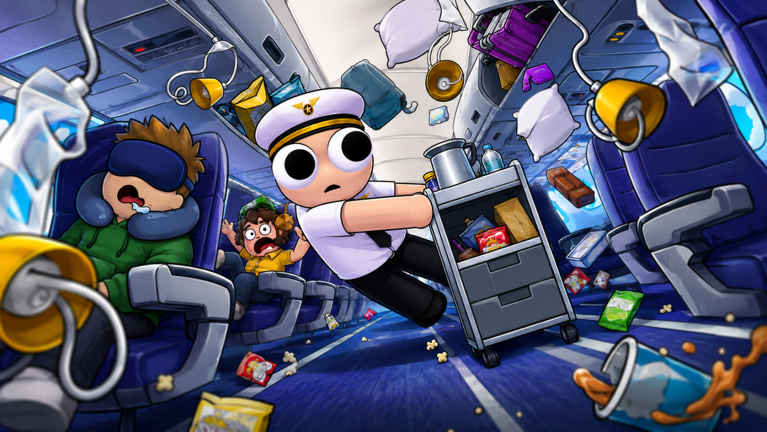
This official media supports the flight setting while the guide text stays focused on emergency response. Direct screenshots of Ice Scraper, Wrench, Medicine, Sick Bag, and passenger prompts should be added as the next evidence layer.
Choose your next move
Related Guides
Once this question is solved, continue to the next decision without returning to search.
Freezing Wings in Bumpy Flight - Ice Scraper Guide
How to respond to freezing wings in Bumpy Flight Roblox with Ice Scraper, stable piloting, crew roles, and recovery steps.
Storm and Wrench Repairs in Bumpy Flight - Emergency Recovery Guide
How to survive storm damage in Bumpy Flight Roblox with Wrench repairs, crew roles, stable flight, and landing recovery.